pc networking question?

This site may earn a commission from merchant affiliate
links, including eBay, Amazon, and others.

Crash

Well-Known Member
Messages
3,693
Location
Chicago
Good morning men,

I had a pc question for you, as some of you know I work from home.

My home pc and shop pc are on the same router.

What I want to do:

be able to access my quick books program in the house
to access customer info, create and print invoices, ect.

I have heard of networking programs, just never used one.

I would like a free or very cheap alternative otherwise I can keep doing what I do now which is walk back and forth from shop to house when need be.


Thanks men,

Danny



:bolt:
 
:smilie8:
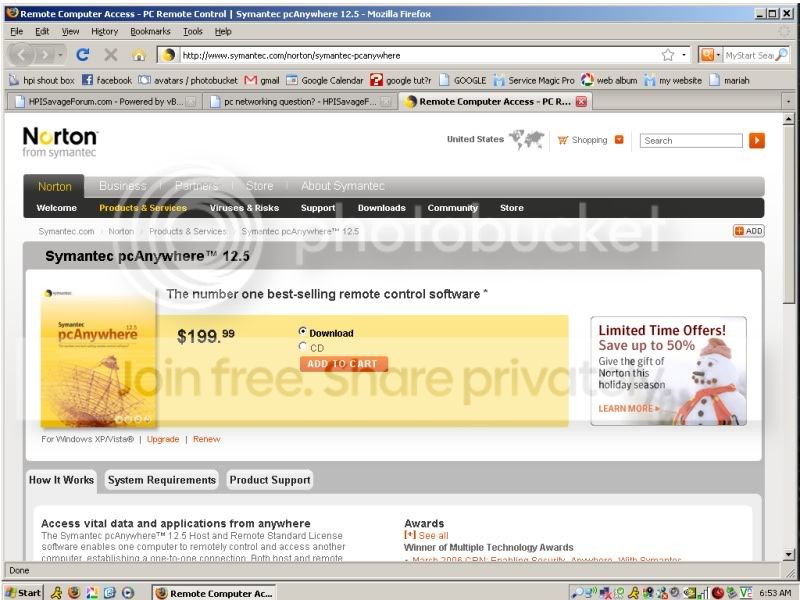
networkingprogram.jpg


too much money
 
have you tried just using "remote desktop" that comes with Xp or vista? I use that to fix alot of customers computers that i cant get to right away. You can view files but not copy paste them..well you kinda gotta know what your doing to do stuff like that.. (hack stuff)
 
Crash -that is one of the things I do for a living - PM me your phone number, and I can prolly hook you up 🙂

a REAL easy cheap way is www.logmein.com get the free account...

Bob
 
Last edited by a moderator:
have you tried just using "remote desktop" that comes with Xp or vista? I use that to fix alot of customers computers that i cant get to right away. You can view files but not copy paste them..well you kinda gotta know what your doing to do stuff like that.. (hack stuff)


Thanks :jamout:
 
Crash, an easier way would be to buy another copy of quickbooks, install it on your in-home computer. then share the data directory of you quick books install on the shop-computer. then point the home-pc to that data file. you will then have full access to the program. you can also just share both the fax and printer as well then find them on the network with your in-home and install them to it. boom you got yourself a small workgrouped network. PM me if you have any questions. I can even walk you through most of what you are trying to do.
 
+1 to Magoo, i see no need for networking software, depending on your Quickbooks version, Here at work I set up Quickbooks enterprise edition (25 user licenses) that all users connect to a single data file on the server. I will warn you, for some reason Vista has a real bad problem with connecting to QB if the Username has ever been changed on windows, or the PC has been renamed. No problem mapping to the server but will not connect to the data file.

If you setup a home network (simple) and install QB on both machines, you can simply locate the data file on the PC in the house through the network and view all of your customer info / transactions....

You will be able to install Quickbooks on how ever many PC's you want, but the way their licenses work is on how many users or programs can be opened at once. I have QB installed on about 40 some PC's here at work, but only 25 users can be on at 1 time unless we upgrade our licenses. So if your the only one using it there is no need to purchase another copy of Quickbooks.
 
Last edited by a moderator:
Crash, an easier way would be to buy another copy of quickbooks, install it on your in-home computer. then share the data directory of you quick books install on the shop-computer. then point the home-pc to that data file. you will then have full access to the program.


FYI, you can do the same with your I-Tunes Music Library.
 

Latest posts

Members online

No members online now.
Back
Top